When Should You Replace Robot Vacuum Filters and Brushes?

You should replace your robot vacuum’s filter every 2–6 months to maintain optimal performance. The main keyword, robot vacuum, is key to understanding maintenance needs—especially if you have pets or allergies, as gray, crusty dust or weak suction are clear signs it’s time for a change.
Swap out the main brush every 6–12 months, or every 5–6 months if you have pets or thick carpet. Look for frayed bristles or rapid hair tangles as indicators it’s worn out.
Clean both the filter and brush weekly to keep your robot vacuum running smoothly. Regular maintenance ensures your robot vacuum stays efficient and effective over time.
Why Robot Vacuum Maintenance Matters
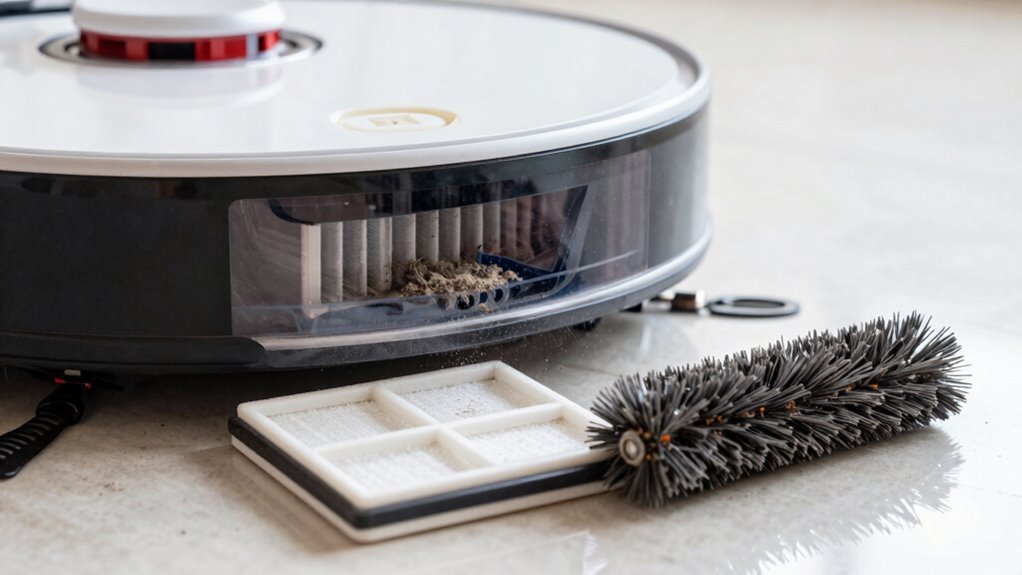
While your robot vacuum zips around the house like a tiny, tireless janitor, it’s easy to forget it needs a little love too—kind of like a pet that doesn’t ask for treats but still deserves care.
You rely on it daily, so don’t let clogged brushes or dirty filters slow it down.
Cleaning the brushes weekly and replacing them when worn keeps performance sharp and stops hair tangles from turning into headaches.
A fresh filter every few months isn’t just smart—it fights dust and keeps your air clean.
Skip maintenance, and your bot works harder, loses efficiency, and might even wear out 40% faster.
But stick with it, and you’ll save money, avoid surprises, and keep your little helper zipping happily across floors for years.
Think of it as high-tech TLC—your vacuum doesn’t complain, but trust me, it notices.
Even with an auto-empty dock, pet hair increases dustbin fill, so regular checks are still essential.
Is Your Filter Clogged? Warning Signs
Your count on your robot vacuum to keep things clean, but when it starts acting like it’s dragging its feet—leaving crumbs behind, working overtime, or breathing harder than a runner after a sprint—it mightn’t be slacking off.
A clogged filter could be the sneaky culprit.
If you’ve cleaned the bin but suction still stinks, or your bot needs three passes to do its usual job, it’s time to peek at that filter.
Gray, caked-on dust, clumps it won’t shake loose, or a weird musty smell? Red flags.
Maybe it’s overheating, chirping “clean me!” in alerts, or blowing out more dust than it captures.
Even if you washed it, a dingy, stained filter’s not pulling its weight.
When airflow’s choked, your vacuum’s just gasping.
Reduced suction forces the motor to work harder, risking overheating or permanent damage.
Don’t let your robot suffocate—check that filter weekly, clean it often, and replace it before performance flatlines.
Is Your Brush Worn Out? Telltale Clues
Ever wonder why your robot vacuum keeps missing goop in the corners or leaves behind a trail like it’s drawing a treasure map?
Chances are, your brush is crying out for help.
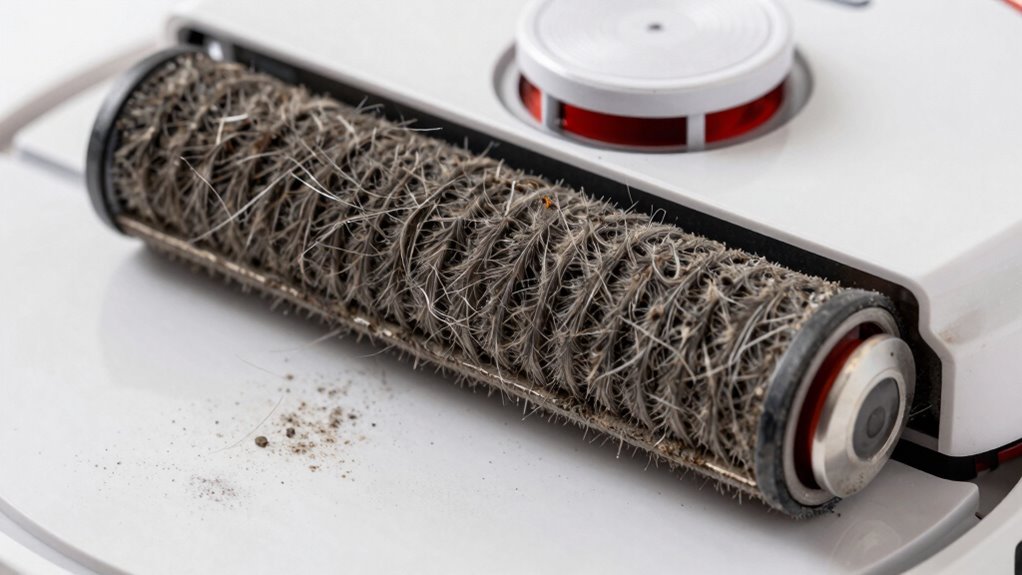
If the bristles look flat, frayed, or splayed like a messy hair day, they’re not sweeping right.
Missing chunks, bent clusters, or a wobbly, warped roller? That’s trouble.
A brush that can’t spin freely or makes grindy, squeaky noises is overworked—like trying to run with a pebble in your shoe.
You’ll notice more crumbs along walls, dust on rugs, and repeat passes just to get things clean.
Hair tangles back almost instantly, and no amount of de-threading helps.
Cracks in the hub or brush streaks on floors? That’s game over.
When your bot struggles silently or drains fast, the brush is likely the villain.
Time to give it a replacement worthy of a hero.
How Often to Replace the Filter
That worn-out brush might be slacking off, but don’t forget the unsung hero hiding inside your robot vacuum—the filter. You should replace it regularly to keep suction strong and air clean. Most folks swap theirs every 2–6 months, but it really depends on your model, home, and lifestyle.
| Brand | Replacement Interval | With Pets or High Use |
|---|---|---|
| iRobot Roomba | Every 2 months | Clean weekly, replace early |
| Eufy RoboVac | Every 6 months or 50 runs | Replace sooner if dusty |
| Honiture | Every 3 months | Stick to schedule strictly |
If you’ve got shedding pets, long hair, or live in a dusty area, replace it sooner. Allergy sufferers, take note—fresh filters trap sneeze-triggering particles better. And hey, cleaning your filter weekly doesn’t hurt—just don’t skip the full swap when time’s up!
How Often to Replace the Brush
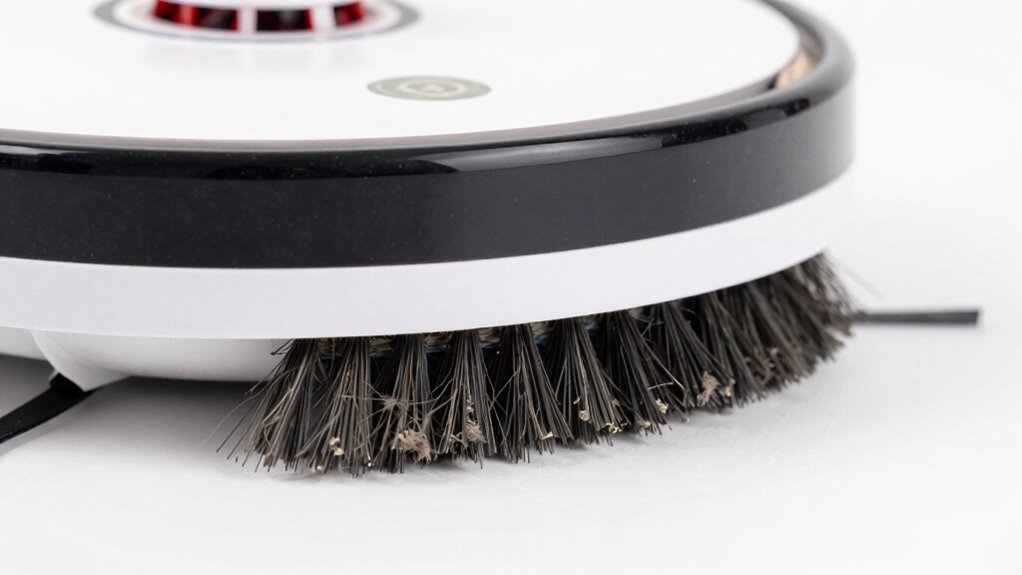
Why does your robot vacuum suddenly seem lazy around corners or leave clumps of hair it used to suck right up?
Your brushes might be worn out!
Replace the main brush every 6 to 12 months, depending on your floors and how often you clean.
If you’ve got pets or thick carpets, swap it every 5–6 months—hair and friction chew them up fast.
Clean it weekly to make it last.
Side brushes? They work hard hugging walls and bumping into furniture, so check them every 3–6 months.
If they’re bent, frayed, or looking sad, replace them—they’re not just for show!
Fresh brushes mean cleaner corners, better pickup, and a happier robot.
Think of it like new sneakers for your vacuum: worn treads won’t cut it.
Don’t wait for total failure—keep an eye on wear, and your bot will keep crushing it.
Do Pets Shorten Filter Life?
Wondering why your robot vacuum’s filter seems to pack it in faster than a teenager on summer vacation? If you’ve got pets, that’s probably the culprit.
Fur, dander, and litter constantly clog the filter, especially during heavy shedding seasons.
Those tiny particles coat the filter fast, cutting airflow and making your vacuum work harder.
Plus, with all the extra gunk—like sticky hair clumps and damp messes from wet paws—your filter gets grimy quicker.
Even washable filters wear out faster under this pet-powered pressure.
And let’s not forget: dirty filters can start blowing allergens and odors back into the air, which isn’t great for anyone, especially if someone’s sneezing nonstop.
In pet homes, cleaning your filter twice a week and replacing it every 2–3 months keeps things running clean and smooth—because yes, your furry friends definitely shorten your filter’s life.
How Floor Type Affects Brush Wear
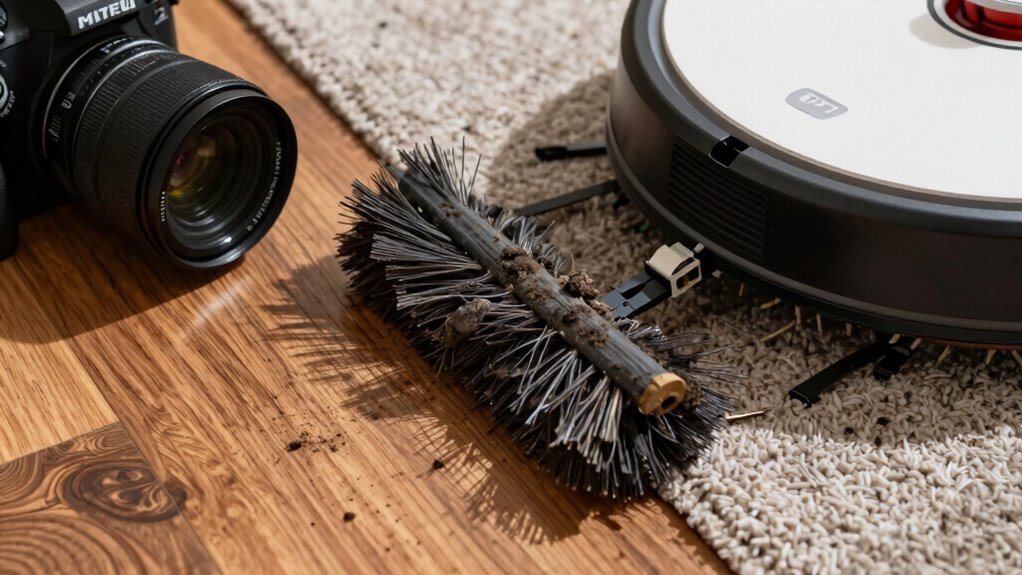
Your pets might be the reason your filter’s crying for help, but what’s under your feet plays just as big a role in how fast your robot vacuum’s brushes wear out.
Different floors don’t just look nice—they actively team up (or fight) with your vacuum’s brushes in surprising ways.
To keep your robot running smoothly, consider these key floor factors:
- Hard floors like tile or hardwood seem smooth, but tiny grit acts like sandpaper, wearing down bristles fast—especially if your bot goes full beast mode.
- Low- and mid-pile carpets tug at brushes harder, demanding more oomph and causing bristles to bend, fray, and flatten over time.
- Plush rugs and textured tiles? They’re sneaky hazards—deep fibers tangle and stress motors, while rough grout can literally chip your brush ends like a chisel.
Replace Your Filter: Step-by-Step
Pop that robot open like a curious kid on Christmas morning—your vacuum’s filter is ready for a glow-up.
For Tapo models, whip out the dustbin (and water tank if you’ve got one), then lift the lid to free the old filter.
iRobot Roomba users, press that grey button, slide the bin out, and bam—swap in the fresh filter.
Before popping in the new one, wipe or rinse the housing to kick out any sneaky dust.
Make sure the replacement fits your model perfectly—no guesswork!
Check for markings so it’s seated right.
It’s like giving your robot a fresh breath of life.
Quick, easy, and oh-so-satisfying.
Your vacuum will thank you with stronger suction and cleaner floors.
Boom—filter upgrade complete, and you didn’t even need a manual!
Replace Your Brush: Step-by-Step
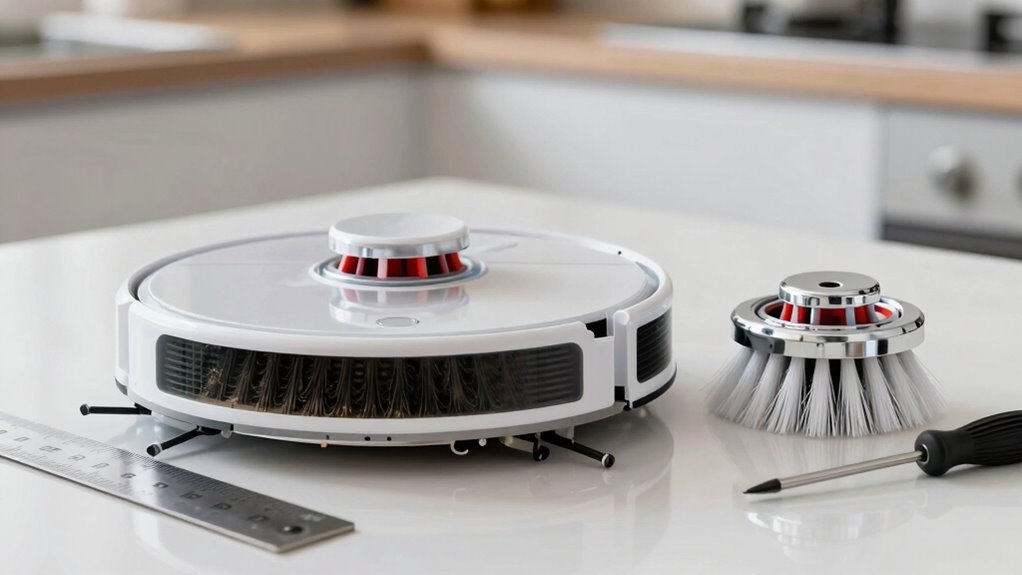
Now that you’ve given your robot vacuum a fresh breath with a new filter, it’s time to tackle the star of the show—the brush.
Don’t worry, it’s easier than wrestling with tangled hair in the shower! Just follow these steps:
- Flip it, don’t flip out: Turn your robot upside down, pop off the cover (tabs or screws—you got this), and say hello to the brush.
- Out with the old: Lift the worn brush out, clean any gunk, and give it a dramatic farewell—it’s been working hard.
- In with the new: Slide in the fresh brush, align it right, snap the cover back, and maybe do a little happy dance.
Boom! Your robot’s ready to spin circles around dirt again—without tripping over frayed bristles or hair tangles. You’re basically its hero now.
Pro Tips to Extend Filter and Brush Life
A little TLC goes a long way when it comes to keeping your robot vacuum running strong—think of these pro tips as cheat codes for longer-lasting filters and brushes.
Pre-sweep high-traffic areas so your robot’s not chugging through mountains of gunk, and toss down entryway mats to minimize dirt sneaking in like a ninja.
Close windows during pollen season or smoky days, and skip runs during messy home projects—your filter will thank you.
Empty the bin after each run, keep the dock cool, and avoid wet carpets—no one likes soggy socks or clogged filters.
Clean brushes weekly, snip trapped hair like a pro barber, and check for wear.
Use only washable filters (and let them dry fully—mold isn’t a feature).
Follow your model’s schedule, stick to quality parts, and your robot will keep humming happily—because nobody wants a vacuum that quits early!
Frequently Asked Questions
Can I Clean and Reuse a HEPA Filter?
Yes, you can clean and reuse a HEPA filter—but only if it’s labeled washable.
Give it a gentle rinse with lukewarm water, never soap, and let it air-dry fully (no rush jobs!).
Non-washable ones? Just tap and vacuum lightly.
Over-cleaning kills efficiency, so think of it like your favorite T-shirt—too many washes and it’s toast.
When in doubt, check the manual!
Are Third-Party Filters as Good as Branded Ones?
Third-party filters? Tempting, but they’re rarely top-tier.
You save serious cash, sure, and swapping them often helps airflow—but many fake HEPA claims fall flat, failing to trap tiny, troublemaking allergens.
Branded brushes and filters fit flawlessly and filter furiously.
For allergy sufferers, skip the sketchy swaps.
If you’re just chasing crumbs, not germs, a budget buy might breeze by—just don’t expect brilliance.
Do I Need to Replace Both Brushes at Once?
You don’t *always* have to replace both brushes at once, but it’s a smart move if they’re both showing wear.
Think of it like socks—mismatched ones might work, but they just look sad and clean worse.
If one’s mangled or missing bristles, swap that one.
But if both are tired, replace them together.
It keeps cleaning balanced, prevents goofy wobbling, and saves you from repeat trips to the parts bin.
Your robot—and floors—will thank you!
What Should I Do With Old Vacuum Parts?
You toss old vacuum parts? Nah, get creative first!
Donate working bits to schools or shelters—they’ll love the help.
List gently used brushes or filters online; someone’s trash is their treasure.
Turn dustbins into craft organizers, or use clean brushes for grout or car gunk.
If they’re done, recycle plastics and batteries at e-waste spots.
Just don’t chuck lithium packs in the regular bin—boom risk!
Win eco-points, save cash, and keep junk outta landfills.
Easy, right?
Can a Damaged Brush Harm My Robot Vacuum?
Oh yeah, a damaged brush can definitely hurt your robot vacuum—think of it as a bad haircut gone worse.
It strains the motor, overheats parts, and can even wreck gears or warp plastic.
Plus, your bot might start acting up with errors or shutdowns.
Keep it happy and healthy by swapping out beat-up brushes early, so it keeps cleaning like a champ instead of hobbling around like a robot in need of a spa day.
Conclusion
Your robot vacuum’s filters and brushes won’t last forever—unless you want it sucking like a sleepy snail! Swap them on time, and your little cleaner will zoom like a racecar, not crawl like a broken toy. Skip maintenance? Good luck—dust bunnies will throw a party in your living room. Stay on top of it, and your vacuum will keep your floors sparkling like magic. Trust us, clean air and smooth brushes make life way easier—plus, your robot might start giving you high-fives.
References
- https://vacuumwars.com/robot-vacuum-maintenance/
- https://www.ecovacs.com/us/blog/advantages-and-disadvantages-of-robot-mop-vacuum
- https://www.fortunebusinessinsights.com/industry-reports/robotic-vacuum-cleaners-market-100645
- https://avidbots.com/resources/blog/how-to-evaluate-a-cleaning-robot-your-cleaning-automation-checklist/
- https://patentpc.com/blog/robotics-maintenance-costs-operating-efficiency-data
- https://neakasa.com/blogs/all/the-importance-of-regular-cleaning-with-a-robot-vacuum
- https://jonrtech.com/blogs/robot-vacuum/future-development-trends-of-robot-vacuum-cleaners
- https://www.robotlab.com/cleaning-robots/blog/are-cleaning-robots-effective
- https://www.ecovacs.com/us/blog/how-often-to-change-vacuum-filters
- https://us.narwal.com/blogs/product/how-to-maintain-robot-vacuum-filter